Instagram downloader

Download Reels videos and photos from Instagram

How to Backup Your Instagram Content in Three Simple Steps

Save backup copies of your Instagram videos, reels, photos, and stories. Our educational tool helps you preserve your own content and authorized media in seconds.
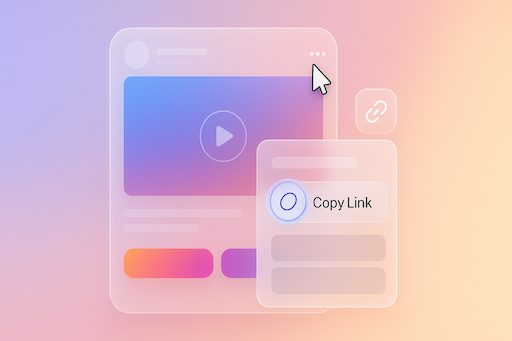
Step 1: Copy Instagram URL - Screenshot showing Instagram post menu with copy link option highlighted

Step 1: Copy the URL

Locate your Instagram post, video, reel, or photo that you want to backup. Tap the three dots menu (...) and select "Copy Link" to get the content URL.
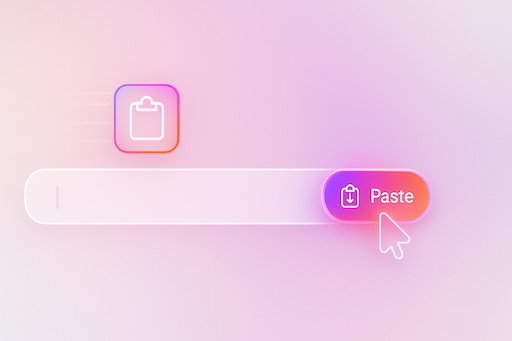
Step 2: Paste Instagram URL - Screenshot showing paste link functionality

Step 2: Paste the Link

Return to our educational tool and paste the URL into the input box. Ensure you have the rights to download this content.
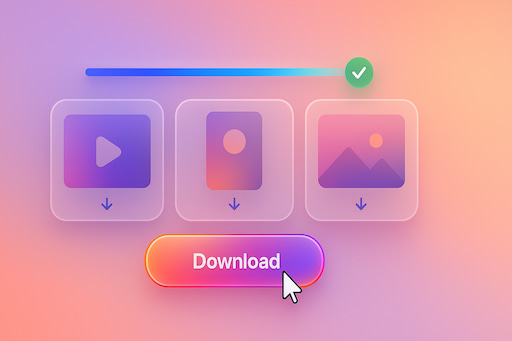
Step 3: Download backup copy - Screenshot showing download process

Step 3: Create Backup

Click the "Download" button to create a backup copy of your authorized media files to your device for personal archival purposes.

Your Content Backup Solution for Instagram

Educational tool for content creators to backup their own Instagram posts. Our platform supports various Instagram formats for personal archival purposes.

Video Backup

Create backup copies of your Instagram videos in MP4 format. Preserve your content for personal archival and offline reference purposes.

Photo Backup

Save copies of your high-resolution Instagram photos. Maintain personal archives of your creative work in original quality.

Reels Backup

Preserve your Instagram Reels content with audio. Keep personal copies of your creative short-form videos for portfolio purposes.

Carousel Backup

Archive all media from your carousel posts efficiently. Maintain complete collections of your multi-image and video posts.

Educational Tool to Backup Your Instagram Content

Our educational platform helps content creators and individuals maintain personal backups of their Instagram content. This browser-based tool works on any device—PC, Mac, Android, or iPhone—without requiring software installation or browser extensions.

Important Notice: This tool is designed for personal, educational, and backup purposes only. Users must own the content or have explicit permission from the copyright holder before creating any backups. We respect intellectual property rights and encourage all users to comply with Instagram's Terms of Service and applicable copyright laws.

Whether you need to preserve your creative work, maintain a portfolio backup, or save your personal memories for offline access, our tool provides a straightforward solution. Always ensure you have the legal right to backup and store any content before proceeding.

Legal Disclaimer & User Responsibility

Copyright & Intellectual Property: Users are solely responsible for ensuring they have the legal right to download, store, and use any content. This tool is intended exclusively for backing up your own content or content for which you have obtained explicit written permission from the copyright holder.

Terms of Service: Users must comply with Instagram's Terms of Service and all applicable local, national, and international laws. Unauthorized downloading, distribution, or commercial use of copyrighted material is prohibited and may result in legal consequences.

Intended Use: This tool is provided for educational purposes, personal backup, archival, and fair use scenarios only. It is not intended to facilitate copyright infringement or violation of any platform's terms of service.

No Liability: We do not host, store, or distribute any Instagram content. We are not responsible for how users choose to use this tool. By using this service, you acknowledge that you are solely responsible for your actions and any consequences thereof.

Frequently Asked Questions About Content Backup

Can I legally download Instagram content?

You may only download content you own or have explicit permission to use. Downloading copyrighted content without authorization violates copyright laws and Instagram's Terms of Service. This tool is intended for backing up your own content, educational purposes, or content you are legally authorized to download.

How do I backup my Instagram videos and Reels?

For content you own: Copy the link from your post (⋯ → Copy link), paste it into the backup tool, and save as MP4. This creates a personal archive of your own creative work.

How do I save my Instagram photos for backup?

Open your photo, copy its link, paste into the tool, and save as JPG/PNG at original quality. Ideal for maintaining a personal portfolio or offline archive of your work.

What about watermarks on saved content?

When backing up your own content, the tool retrieves the original file from Instagram servers, which typically doesn't include additional watermarks. Quality depends on your original upload settings.

Can I backup Instagram Stories and Highlights?

For your own public Stories and Highlights, you can create backups as MP4 (video) or JPG (image) files. Remember that Stories are temporary and should be backed up before they expire if you want to preserve them.

How can I backup carousel posts?

The tool can extract all slides from your carousel posts, allowing you to backup each photo (JPG) or video (MP4) individually for complete archival of your multi-media posts.

Do I need to log in or install software?

No login or software installation required. This browser-based tool works directly in your web browser. Simply paste the link to your content and create your backup copy.

Does this work on mobile devices?

Yes—works on iPhone (Safari), Android (Chrome), and desktop browsers (Windows, macOS). Backup files save to your device's default Downloads folder.

Why can't I access private account content?

The tool only accesses publicly available content. Private posts require authorized access through Instagram's platform. For privacy and security reasons, backup tools cannot access private content.

What file formats and quality are supported?

Videos save as MP4, photos as JPG/PNG. The tool preserves the original quality uploaded to Instagram, which can include HD (1080p) or higher resolutions depending on your upload settings.